How do I update my profile information?
To update your information connected to your THI Profile, follow the steps outlined below.
- Visit traumahealinginstitute.org and click "Login" in the top right corner.
- Enter your email address and password. If you do not remember your password, review this tutorial to reset your password.
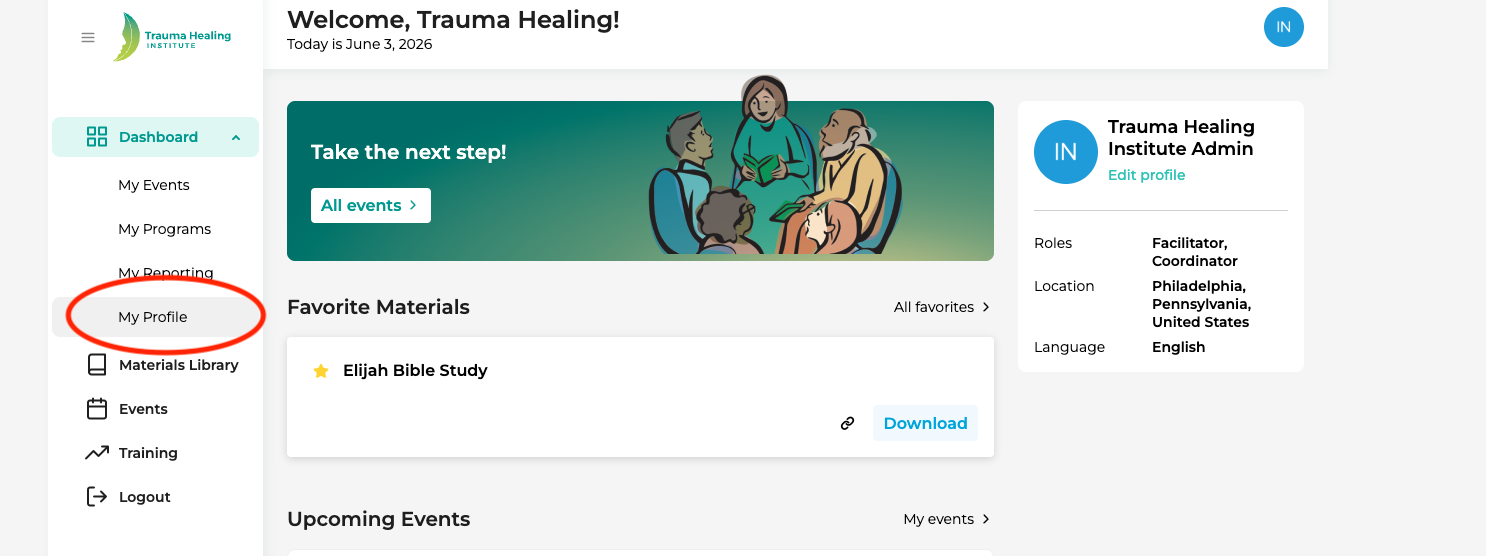
- After successfully logging in, click "My Profile" in your dashboard.
- Click "Personal Information".
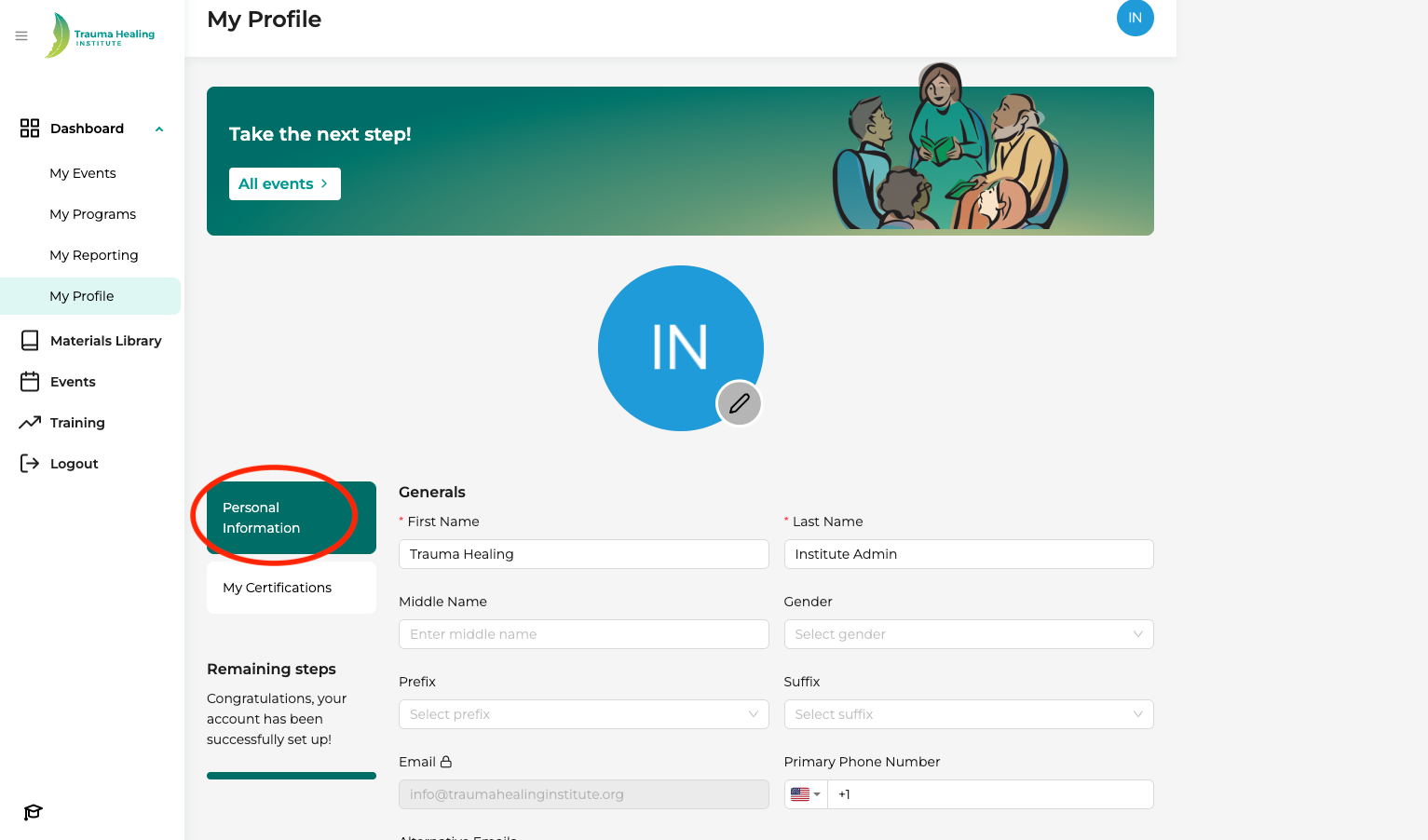
- Please complete all fields to the best of your ability.
- When done, press "Save" and your information will automatically be saved and updated in the THI Database.