How to Find Advanced Equipping Materials
This option is available to those who have listed their event on the THI Events Page. Any materials for the event that you listed will auto-populate as suggestions in this tab. If did not add your event to the THI Events page, please see Step 1 (Materials Library Alternative) below.
Step 1: Click on “My Programs” – “Materials for my events”.

Step 2: Click on “View materials” to access the Materials Library to download or copy the material link (via the chain link icon) into your event.
Step 1 (Materials Library Alternative): If you have not added your event to the events page, you will access the materials through the “Materials Library” tab.
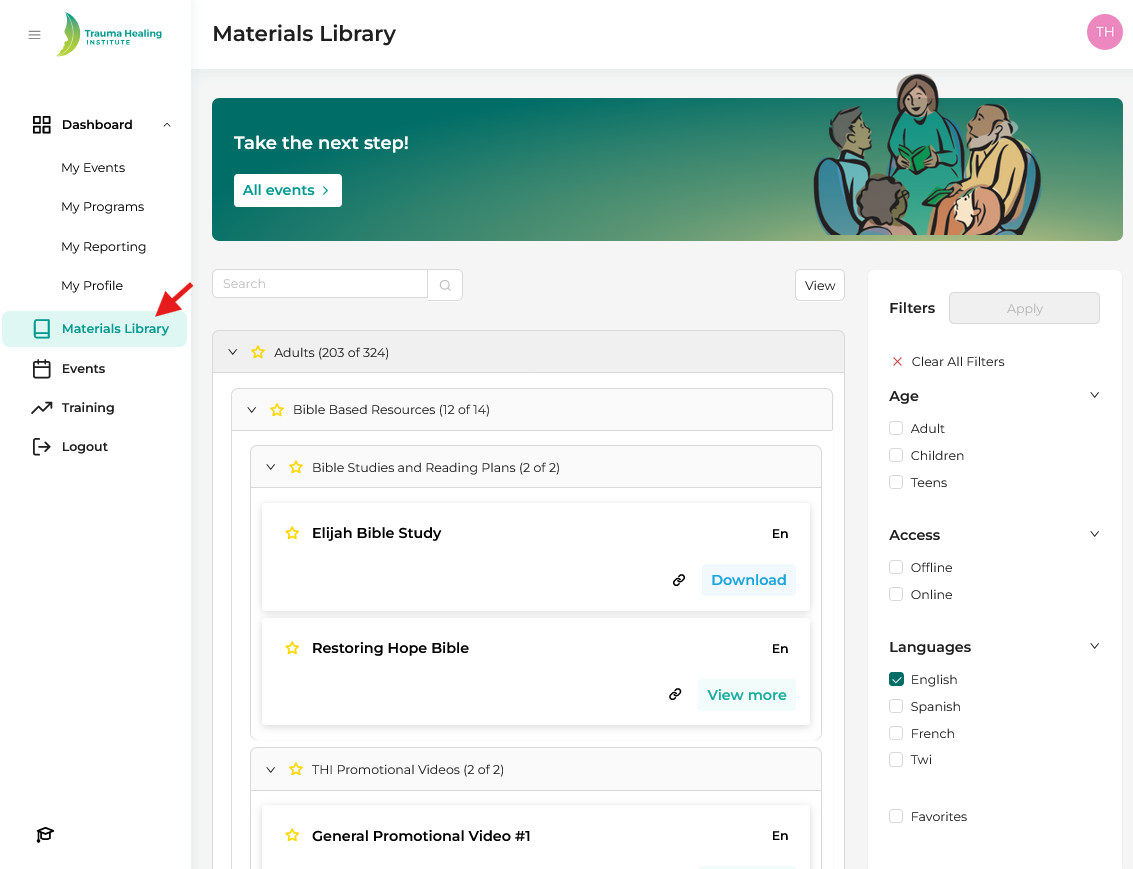
Step 2: Search for the applicable materials for your event and either download or copy the material link into your correspondence with participants.