How to Create an Initial Equipping Event
The THI website does not collect payments for event registrations. If you need to collect payments or gather specific registration details, consider using a platform like EventBrite. You can link your EventBrite registration on the event page.
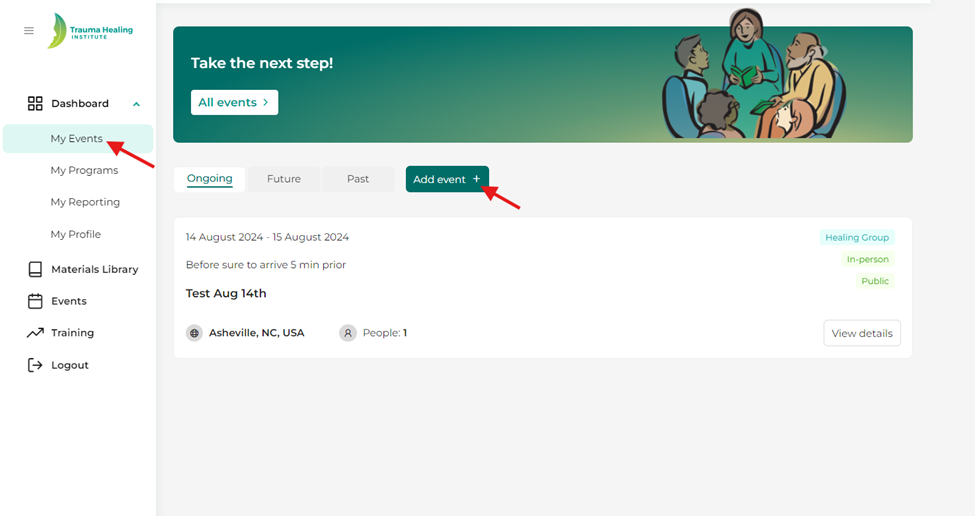
Step 1: From your dashboard, click on “My Events”.
Step 2: Click on the “Add Event” button.
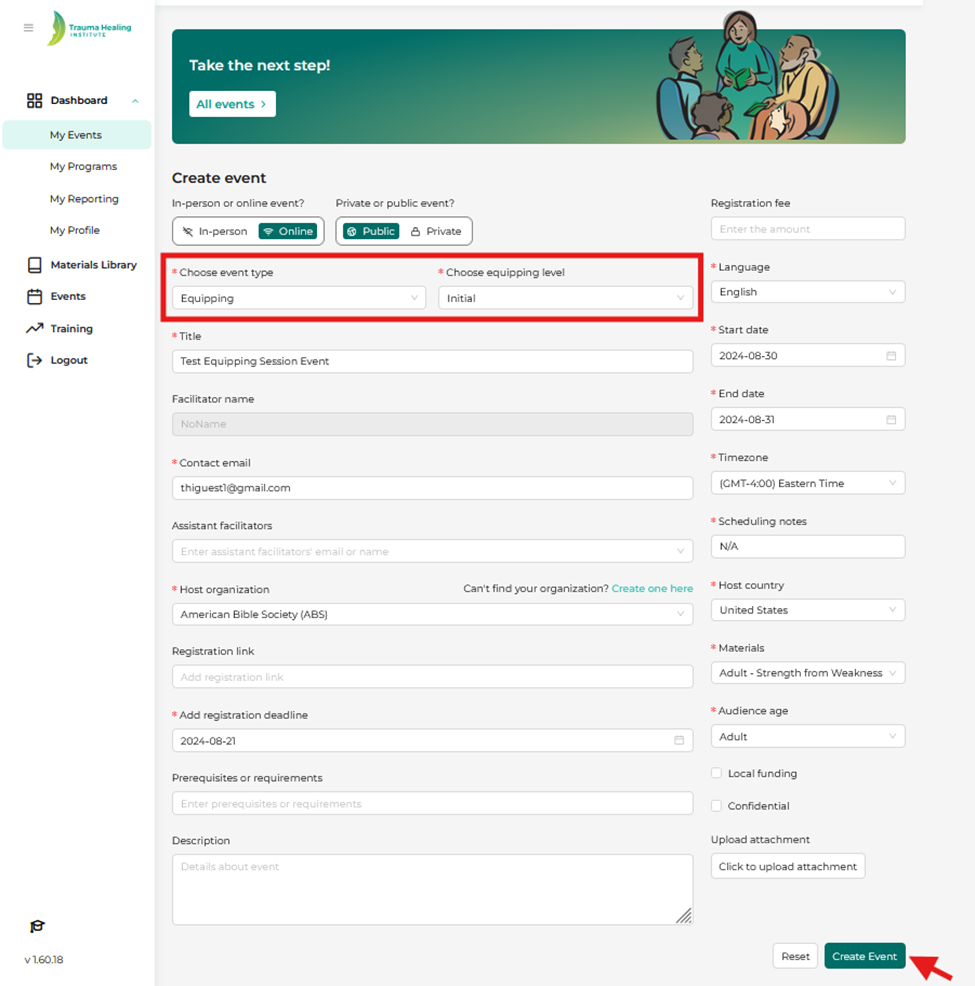
Step 3: Fill in your event details making sure to include the correct event type and click the “Create Event” button. Your event will then be viewable in your “My Events” section and by search under the “Events” tab.
- All fields marked with a red asterisk (*) are required.
- At this time, you can only add one organization.