How to Use the Event Registration Functionality
There are several benefits to using the event registration functionality on the THI website. These benefits include:
1. Your participant’s email address and first/last name will automatically be added to the THI database.
2. After submitting their email address via the registration, they will automatically receive an email from THI encouraging them to set up their own THI account.
3. The participant’s name will auto-populate in post-event reports.
Step 1: To have someone register for your event, you can copy the registration link from the “Event details” page. This link will send them directly to your event listing.
Step 2: Send your interested attendees an email or message with the registration link.
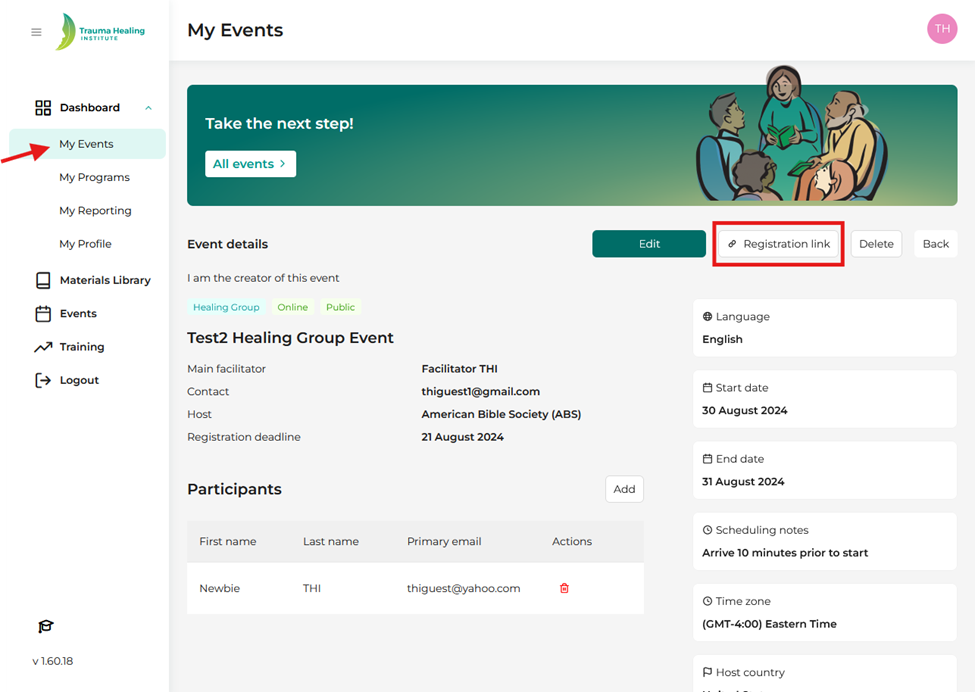
Step 3: To see those who have registered for your event, go to “My Events”.
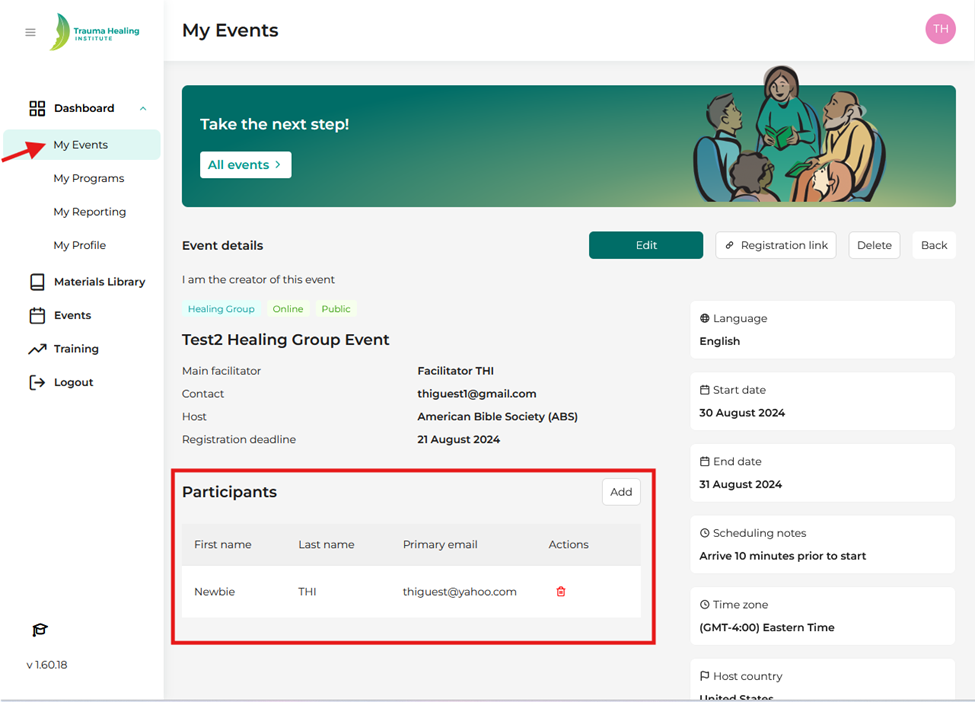
Step 4: Click on the event and look at the “participants” section. Please note: You can click the red trashcan icon to remove a participant if someone wants to cancel their registration.